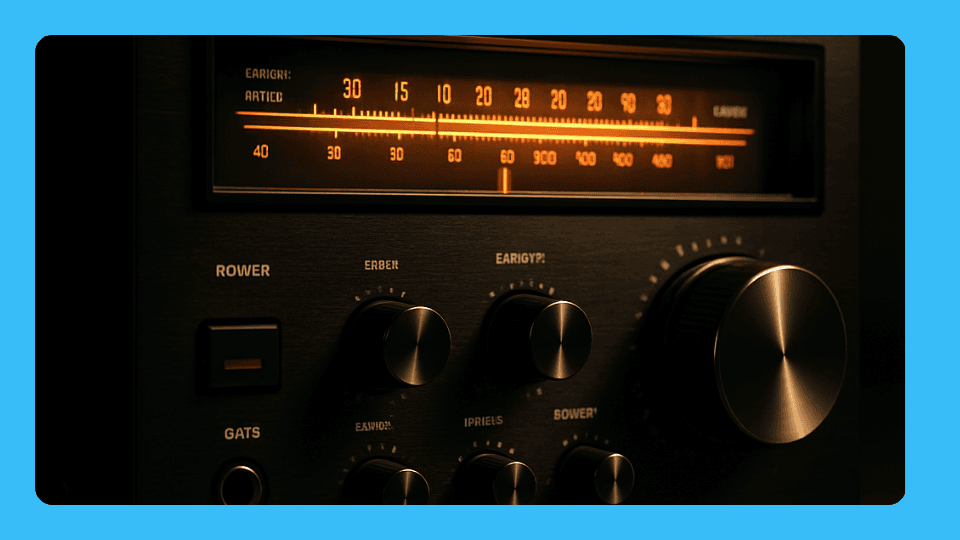
The under-$500 AV receiver market improved significantly in 2025-2026. HDMI 2.1 with eARC, 4K/120Hz passthrough, and Dolby Atmos decoding — features that cost $800+ just a few years ago — are now standard at this price point. Here is what to prioritize and which models deliver reliably.
Quick answer
- HDMI 2.1 on all inputs is the key spec — avoid receivers where only one or two ports support full 48Gbps
- eARC on the HDMI out lets your TV's streaming apps pass Dolby Atmos back to the receiver — essential if you use built-in TV apps
- Denon and Yamaha have the most reliable HDMI firmware at this price; avoid Onkyo (discontinued) and lesser-known brands
- 7.2ch vs 5.2ch — 7.2ch is worth it if you have or plan to add rear speakers; otherwise 5.2ch is sufficient
What changed — why older receivers fail with modern setups
HDMI 2.0 (48Gbps) vs HDMI 2.1 (48Gbps full bandwidth) sounds like a small difference, but in practice it determines whether your PS5 or Xbox Series X gets 4K/120Hz with VRR and HDR simultaneously. Older receivers — including most Onkyo, Pioneer, and Marantz units from 2019-2021 — cap at 4K/60Hz through their HDMI inputs, which means gaming consoles are throttled.
eARC is the other major dividing line. Without eARC on the HDMI output, your receiver cannot receive Dolby Atmos from TV apps like Netflix or Disney+. It will get audio, but only compressed Dolby Digital 5.1 via standard ARC.
Our picks
Denon AVR-S770H — best overall 7.2 channels, 75W per channel, HDMI 2.1 on all inputs (4K/120Hz, VRR, ALLM), and eARC on the HDMI output. Supports 5.1.2 Dolby Atmos layouts with height speakers. Denon's HDMI firmware is the most consistently reliable in the budget category — fewer handshake failures with PS5, Apple TV, and modern TVs than competitors at the same price. Denon AVR-S770H on Amazon (paid link)
Yamaha RX-V4A — best for streaming and ease of setup 5.2 channels with HDMI 2.1 on all four inputs and eARC out. Yamaha's MusicCast platform is the best-implemented multiroom audio at this price, and the receiver pairs reliably with Alexa and Google Assistant. Setup via the YPAO room calibration microphone is genuinely easy — one of the most beginner-friendly receivers available. Slightly less powerful than the Denon but excellent for typical living rooms. Yamaha RX-V4A on Amazon (paid link)
Denon AVR-S570BT — best budget pick If you are coming from a broken Onkyo and want Denon reliability at the lowest possible cost, the S570BT is the entry point. Four HDMI 2.1 inputs, eARC, 8K/60Hz passthrough, and Denon's proven HDMI stack. 5.2 channels at 70W. Drops some streaming features of the S770H but handles the core job — getting audio from modern sources into speakers — without fuss. Denon AVR-S570BT on Amazon (paid link)
Sony STR-DH790 — best for 7.2 channel setups on a tight budget 7.2 channels with Dolby Atmos and DTS:X, 4K HDR passthrough, and eARC. The lowest-cost way to drive seven speakers. Sony's HDMI implementation is slightly less robust than Denon's under edge-case conditions, but in typical setups it performs well. A strong choice if channel count matters and budget is a constraint. Sony STR-DH790 on Amazon (paid link)
What to avoid
Onkyo — Onkyo stopped manufacturing new receivers. Their remaining stock is older hardware without reliable HDMI 2.1 support. Firmware updates have stopped. If your Onkyo has persistent eARC or 4K passthrough problems, they will not be fixed. See our guide: Fix Onkyo receiver eARC and HDMI issues.
No-brand imports claiming "HDMI 2.1" — Unbranded or very cheap receivers often misrepresent HDMI bandwidth. Look for receivers from Denon, Yamaha, Sony, or Marantz that list eARC specifically.
HDMI 2.0 receivers marketed as "4K" — These support 4K at 60Hz only. 4K/120Hz and VRR require HDMI 2.1 (full 48Gbps).
How to set up eARC on a new receiver
-
Connect the TV to the receiver's HDMI output (ARC/eARC) Use a certified Ultra High Speed HDMI cable. This port is usually labeled "HDMI Out (ARC)" or "HDMI Out (eARC)" on the back panel.
-
Enable eARC on the TV In your TV audio settings, enable eARC or Enhanced ARC. Set Digital Audio Output to "Pass-through" or "Auto."
-
Connect sources to HDMI inputs Plug PS5, Apple TV, Blu-ray player into the receiver's HDMI inputs. The receiver passes video to the TV and handles audio to the speakers.
-
Run room calibration Denon: Audyssey setup. Yamaha: YPAO. Place the microphone at the listening position and follow the on-screen prompts. This sets speaker distances, levels, and crossover points automatically.
-
Test eARC from TV apps Open Netflix on the TV and play Dolby Atmos content. The receiver's display should show "Dolby Atmos." If it shows "PCM" or "Dolby Digital," check the TV's Digital Audio Output setting.
Troubleshooting
No eARC signal from TV — Power cycle both TV and receiver with the HDMI cable disconnected for 30 seconds, then reconnect to the correct ARC/eARC port and power on. Ensure eARC is explicitly enabled in the TV audio menu, not just ARC.
4K/120Hz not passing through to TV — Enable "HDMI Signal Format" or "Enhanced" mode on the specific HDMI input on your TV. Samsung calls this "Input Signal Plus," LG calls it "HDMI Deep Colour," Sony labels it "Enhanced Format." The TV input needs to be in enhanced mode, not just the receiver.
Receiver keeps going into protection mode — Check speaker wiring for shorts. Denon and Yamaha both run diagnostics. See: Yamaha receiver CHECK SP Wires / protect mode fix.
FAQ
How many channels do I need? For most living rooms, 5.1 or 5.1.2 is the sweet spot. The ".2" adds two height channels for Dolby Atmos overhead effects. 7.1 and above adds rear surrounds — only worth it in a dedicated room.
Do I need a separate subwoofer? Yes. AV receivers do not amplify subwoofers directly — they send a line-level signal to a powered subwoofer. Budget $150-300 for a quality powered sub if you don't already have one.
Can I use the receiver with just a soundbar and no speakers? No. A soundbar has its own amplifier. You connect a soundbar to a TV directly via eARC — an AV receiver is for driving passive speakers. They serve different purposes.
Is the Denon or Yamaha better? For raw HDMI reliability: Denon. For ease of setup and streaming features: Yamaha. Both are excellent — pick Denon if your priority is bulletproof HDMI 2.1 passthrough, and Yamaha if you care more about multiroom audio and user-friendly setup.